|
The following steps are the simple way to set up a Internet Phone
Software (X-Lite):
Step 1: Go to http://www.xten.com/index.php?menu=products&smenu=download
to download the X-Lite software
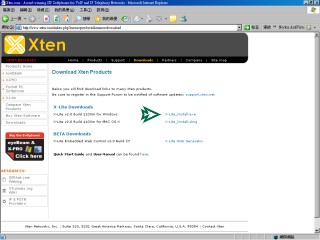
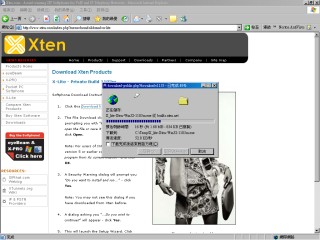
Step 2: Save and launch the setup program to install the X-Lite
software and for setup and install of X-Lite, please refer to this
URL http://www.xten.com/index.php?menu=support
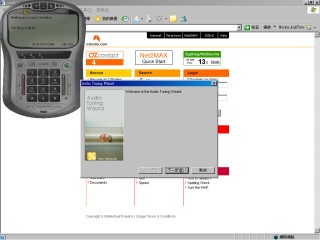
Step 3: Start the X-Lite software and follow the instruction to
tune the audio setting
Step 4: After audio setting then it will pop up a menu to let you
to setup the default SIP Proxy
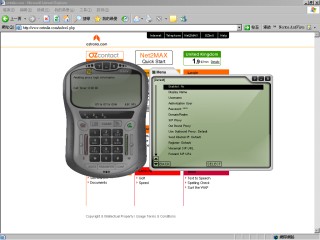
And the setting are as below:
| Enabled: |
Yes |
| Display Name: |
(your name) |
| Username: |
899060+"(your oznumber)" example: 89906012345
(if your OZnumber is 12345) |
| Authorization User: |
899060+"(your oznumber)" example:
89906012345 (if your OZnumber is 12345) |
| Password: |
(your password) |
| Domain/Realm: |
oztralia.com |
| SIP Proxy: |
sip.oztralia.com |
| Out Bound Proxy: |
(leave blank) |
| Use Outbound Proxy: |
Default |
| Send Internal IP: |
Default |
| Register: |
Default |
| Voicemail SIP URL |
|
| Forward SIP URL |
|
| Use Voicemail: |
Forward to Voicemail |
| Direct Dial IP: |
No |
| Dial Prefix: |
(leave blank) |
| Provider Website (if applicable): |
(leave blank) |
| Update Settings (if applicable): |
(leave blank) |
Step 5: Once the setting is correct then the X-Lite status is "Logged
in" and it will show "Your number is: 899060xxxxx"
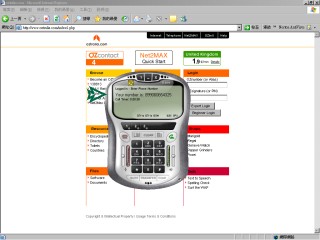
Step 6: Then you can start to use our Internet Phone Number service,
if you want to contact others OZmembers you can dial 899060+OZNumber
or dial "Country Code+Area Code+Phone Number" to make
a land line call
|